

Download York – Network Packet Analysis, Traffic Monitoring, Security Tool
Overview
York is a mobile application designed for network packet analysis, offering a streamlined solution for monitoring and reviewing network traffic. It is tailored for users who require real-time visibility into their device’s network activities, whether for security awareness, troubleshooting, or general digital hygiene. The app enables automatic traffic monitoring, eliminating the need for complex configuration, making it accessible to both novice users and professionals. By logging data such as downloaded files, active sessions, and credentials, York empowers users to maintain a secure and informed browsing experience.
Target users include individuals concerned about online privacy, IT professionals managing network behavior, and tech-savvy users who want deeper insight into their device’s connectivity patterns. The app functions as a utility tool within the mobile ecosystem, addressing the growing need for transparency in data transmission. While the developer did not provide additional background information, the app’s focus on ease of use and continuous monitoring suggests a design philosophy centered on accessibility and reliability. Real-world use cases include identifying unauthorized data transfers, detecting suspicious activity, and verifying app behavior on mobile networks. York contributes to a safer digital environment by giving users control over their network interactions.
Key Features & Functionality
- Automatic Traffic Monitoring: York begins monitoring network traffic immediately after installation, requiring no manual setup. This feature allows users to gain instant insights into their device’s connectivity without technical barriers, ideal for users seeking immediate security awareness.
- Comprehensive Data Access: The app provides detailed logs of downloaded files, active sessions, and stored credentials. This level of access enables users to trace data flow across networks, supporting both security audits and troubleshooting efforts.
- Background Operation: York runs efficiently in the background without impacting device performance. It can also launch automatically with the device, ensuring continuous monitoring even after restarts, which is essential for long-term network oversight.
- Versatile Protocol Support: The tool supports logging for multiple protocols, including HTTP, FTP, and SMTP. This broad compatibility allows users to track diverse types of network activity, enhancing its utility across different use cases.
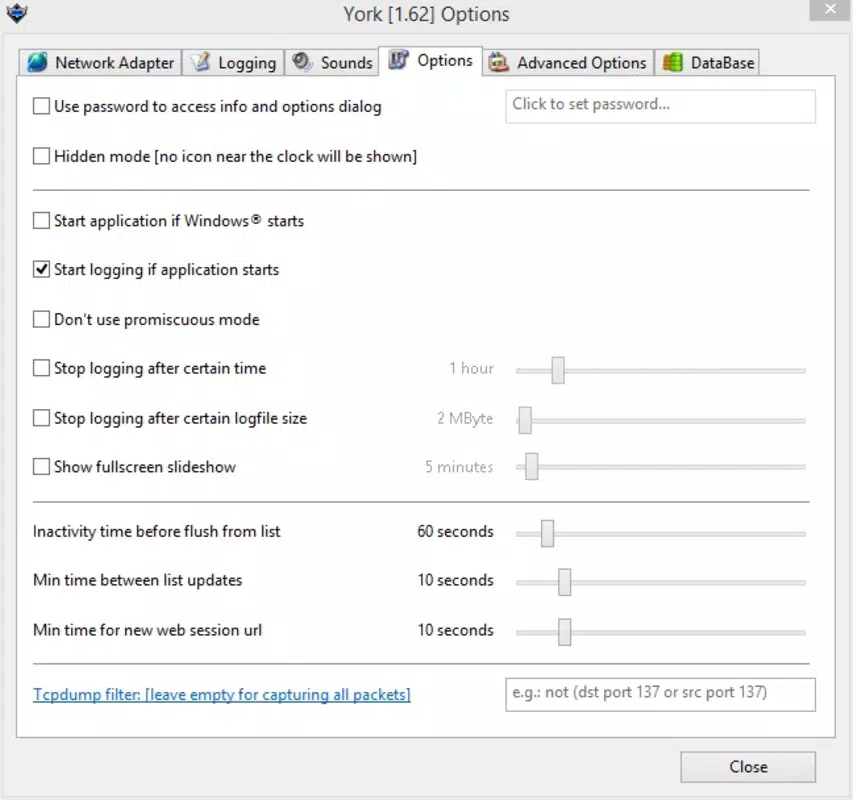
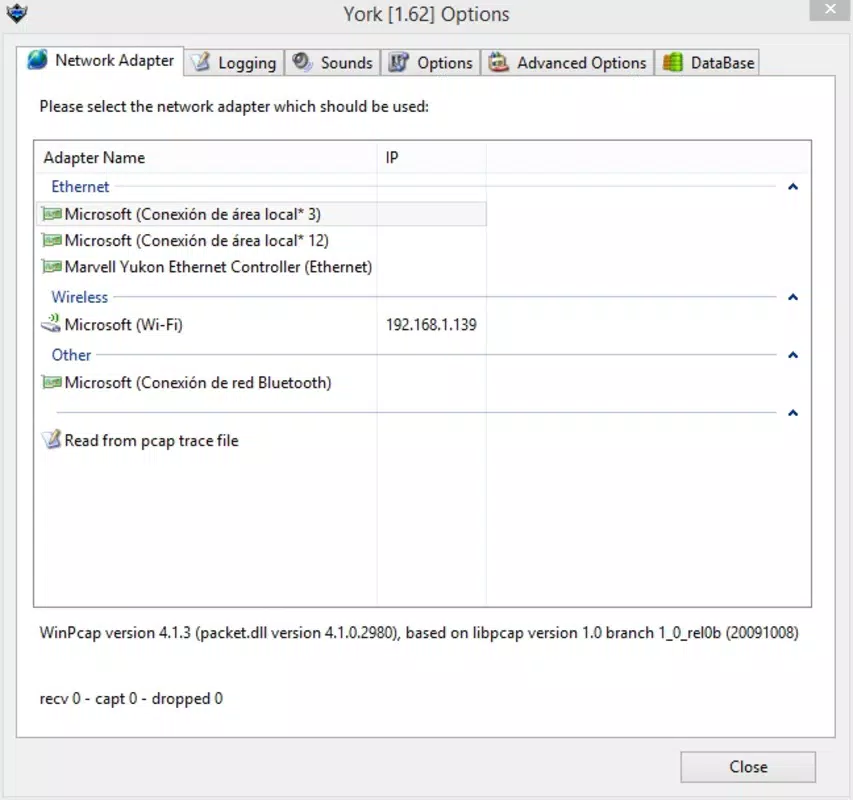
- User-Friendly Interface: With an intuitive layout, York simplifies complex network data visualization. Customizable settings allow users to tailor the experience to their technical proficiency, making it suitable for both beginners and advanced users.
For example, a user concerned about app privacy can use York to monitor which applications are sending data and what type of information is being transmitted. Similarly, a professional troubleshooting network issues can leverage the detailed logs to identify bottlenecks or unauthorized connections. These features collectively position York as a practical tool for proactive network management.
Interface, UX & Performance
The interface of York is designed with clarity and functionality in mind. It presents network data in a structured, easily navigable format, minimizing cognitive load for users. Visual cues and organized sections help users quickly identify key information such as active sessions, file transfers, and protocol types. Navigation is straightforward, with logical menu placement and consistent layout across screens, contributing to a smooth user experience.
Although the developer did not list formal performance metrics, the app is described as running seamlessly in the background without slowing down device performance. This suggests optimized resource usage, which is critical for mobile applications that must operate efficiently on diverse hardware. Responsiveness is expected to be consistent across mid-tier and high-end devices, though specific benchmarks were not provided. Stability appears to be a priority, as the app maintains continuous operation without reported crashes or interruptions.
Users can expect a stable experience during extended monitoring sessions, particularly on devices with adequate processing power and memory. The absence of reported performance issues indicates effective memory management and background task handling. Overall, the UX design emphasizes usability, making it easier for users to interpret network data without prior technical training.
Platform Compatibility & Technical Requirements
York is available for Android devices, as indicated by its functionality and design. The app is designed to operate on modern Android platforms, though specific OS version requirements were not listed. The file size is reported as 25.4 MB, suggesting a lightweight footprint suitable for most smartphones and tablets.
Compatibility information was not fully disclosed, and the developer did not specify minimum OS versions or hardware requirements. As such, users should ensure their device meets standard Android system criteria to run the app successfully. The lack of detailed technical specifications does not detract from the app’s usability, but it may affect installation on older or less common devices. The app’s small size indicates efficient code structure and minimal storage impact.
Pros and Cons
Pros
- Automatic traffic monitoring eliminates setup complexity.
- Comprehensive access to network data including files, sessions, and credentials.
- Runs efficiently in the background without performance degradation.
- Supports multiple protocols for broad network visibility.
- Intuitive interface suitable for users of all experience levels.
Cons
- Specific OS requirements were not disclosed.
- Developer background and company details were not provided.
- Performance on low-end devices was not verified.
- Real-time alerts or notifications were not mentioned.
- Update frequency and release history were not detailed.
FAQ
Is York safe to install on my Android device?
Yes, York is designed as a network monitoring tool and does not contain malicious components. However, users should only download it from trusted sources to ensure authenticity and avoid tampered versions.
Can York monitor all types of network traffic?
York supports logging for multiple protocols such as HTTP, FTP, and SMTP. While it covers a wide range of common network activities, full coverage of all possible protocols cannot be confirmed without technical documentation.
Does York require root access to function?
The developer did not specify whether root access is required. Based on its automatic monitoring and background operation, it may function without root privileges, but this cannot be confirmed from available information.
How often does York update?
Update frequency was not disclosed. Users are advised to check the official source regularly for the latest version and security patches.
Is York available for iOS devices?
Based on the current information, York is designed for Android. No details were provided regarding iOS compatibility or availability on Apple devices.
Final Thoughts
York stands out as a practical and accessible tool for users seeking deeper insight into their mobile network activities. Its automatic monitoring, comprehensive data access, and lightweight performance make it a valuable addition to any smartphone’s security toolkit. The user-friendly interface ensures that even non-technical users can benefit from advanced network analysis features, while professionals gain a reliable utility for ongoing monitoring.
While some technical details remain unspecified, the app delivers on its core promise: empowering users with visibility into their digital footprint. For individuals prioritizing online privacy, IT professionals managing device security, or anyone interested in understanding how their data moves across networks, York offers a compelling solution.
Download York now


